Browse the web anonymously

7 03 2011

On top of using “private browsing” or “incognito” mode, check out Tor to keep your presence anonymous over the Internet pipelines.  You can definitely use an anonymizer site, but the interface of Tor is way better.

Tor offers an installer bundle or a “just-copy-and-execute” bundle.  I’ve been using it along with the Firefox add-on for a while and have been happy with it.

Note: Your connection is a little slower, but it’s worth the peace of mind you get.  Also, it’s very useful if you’re downloading from sites like hotfile.com. =o)

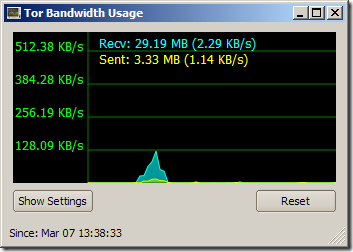
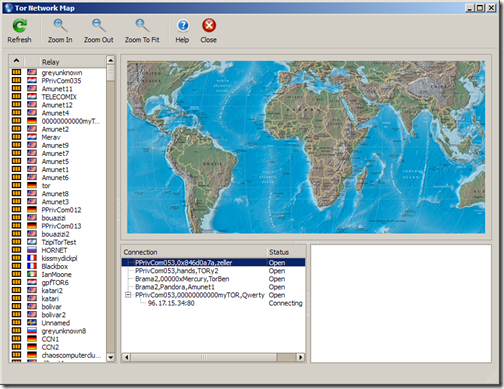
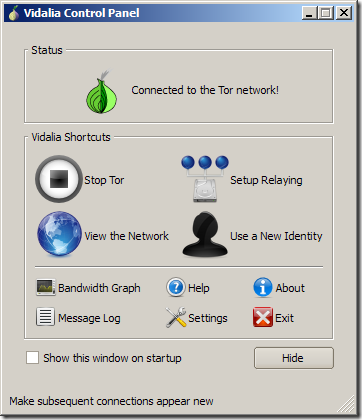
Vidalia/Tor Screenshots
image

image

image


Avira AntiVir Personal update failing solution

15 05 2010

I’ve noticed the update failing more often for about a month … googling it mentioned that it was due to Avira’s server being overwhelmed.  So I was patient, updated manually each time, but it just became too tedious — tried this command, too, after reading it from a moderator in a thread in the Avira forum that didn’t work either:

“C:\Program Files\Avira\AntiVir Desktop\update.exe” /DM=”0″ /NOMESSAGEBOX /receivetimeout=120

Finally, I found this command that worked, so sharing it for other’s benefit:

“C:\Program Files\Avira\AntiVir Desktop\update.exe” /DM=”0″ “/NOMESSAGEBOX”

Hope that helps.


Microsoft’s forensic USB thumb drive

29 04 2008

image Here’s an interesting article on the Seattle Times website about a small plug-in device that Microsoft “quietly distributed to a handful of law-enforcement agencies.”  Dubbed the COFFEE (Computer Online Forensic Evidence Extractor), it contains “150 commands that can dramatically cut the time it takes to gather digital evidence, which is becoming more important in real-world crime, as well as cybercrime. It can decrypt passwords and analyze a computer’s Internet activity, as well as data stored in the computer.”

I need one of this…just because.  =0)


Cold Boot encryption memory hack

21 02 2008

I read an article wherein researchers from Princeton University cooled down memory to -58 degrees F which allowed them to examine the encrypted contents of the memory for as long as 10 minutes.  Microsoft, however, says its unlikely

To be clear, encrypted data here is data that gets encrypted by apps like Vista’s BitLocker or Mac OS X’s FileVault.  In any case, it’s an interesting read. 

Check out this video for more details:


PsTools communication errors

28 11 2007

My friend Anthony was getting “access denied” and “logon failure” errors when trying to to run psexec (from one of the PsTools suite) from an XP machine on a domain to an XP machine in a workgroup.  It was something similar to:

PsInfo 1.34 – local and remote system information viewer
Copyright (C) 2001-2002 Mark Russinovich
Sysinternals – www.sysinternals.com

Could not connect to machine_name:
Access is denied.

And…

PsInfo 1.34 – local and remote system information viewer
Copyright (C) 2001-2002 Mark Russinovich
Sysinternals – www.sysinternals.com

Couldn’t access machine_name:
Logon failure: unknown user name or bad password.

Here are the settings/steps I checked/took that resolved the issue:

1. ping - was able to ping the machine by hostname.  So no problem here.

2. net share - verified the ADMIN$ share was enabled.  Again no problem here.

3. Remote Registry service - verified the service was started because the PsTools suite makes use of RPC calls via port 445.  Was fine here.

4. Administrator password - verified the Administrator did not have an empty password.  Was set here.

5. Test account - created a test account to use for psexec (e.g., psexec \\computer_name notepad.exe -u test -p test).  Was available here.

6. Access hidden share – tried to access C$ and found that user name field grayed out.  This tipped off the problem – cool!

To fix it, I had to set the Network Access: Sharing and security model for local accounts security option Classic – local users authenticate as themselves.

Access it via Start > Run > secpol.msc > Local Policies > Security Options (see screenshot below).

image

Apparently, updates to Windows XP now sets this security option to Guest only – local users authenticate as Guest, which denies the ability to implicitly or explicitly use of a specific user name/password combo.

Hope this helps someone out there.  Peace.