My recent acquisition of an iPhone has simplified my digital world tremendously. I found myself using my laptop less as the iPhone has most of the capabilities I need – email, surfing, Facebook, IM, etc. The only missing capability or app was an easy way to post to my blog, which I haven’t posted to [...]
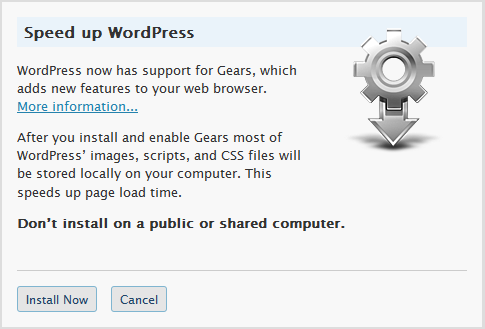
When I logged into my WordPress-driven website, I noticed a new link called Turbo on the top left: Clicking it brought this up: Like Google Docs and Remember the Milk, it essentially is using Google Gears to speed up page load time of WordPress’ images, scripts, and CSS files. So what is Google Gears? According [...]
You’ve probably noticed some websites having an image in the address bar, like so: These are called favicons (short for “favorites icon”) and in this post I’ll show you how to add one into your website. Create an image you want to represent your website (most likely you already have a logo for your blog). [...]
Here’s a WordPress plugin that will create an XML-Sitemap that can greatly enhance your website’s presence, which is supported by Ask.com, Google, Yahoo! and MSN Search. Here are also some links to help you with SEO (Search Engine Optimization) ranking: http://www.google.com/support/webmasters http://search.yahoo.com/info/submit.html http://about.ask.com/en/docs/about/webma… http://search.live.com/docs/submit.aspx Hope you find this post helpful.
Here’s a how-to in adding whitespace in your WordPress posts, as the WordPress system currently wipes them out: For a blank line:<p align=”none”> </p>For a double blank line:<p align=”none”> </p>For an indented beginning (or any other space formatting), format the text in a simple text editor, enclose it in the following code, then copy-paste the whole:<pre [...]